Master Your Exam Pacing
Practice for any cert exam under time pressure using our dual-clock system. Prevent running out of time on exam day.
Recommended Resource
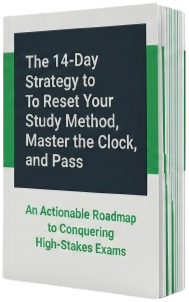
The 14-Day Strategy to Reset Your Study Method, Master the Clock, and Pass
An Actionable Roadmap to Conquering High-Stakes Exams
Blueprint Modules
- 1 The "Outside-In" Paradigm Shift
- 2 Decrypting the Test-Maker's Mindset
- 3 The Mathematics of Velocity
- 4 The 15-Question Sprint System
- 5 The "Sunk Cost" Recovery Protocol
- 6 The 14-Day Implementation Matrix
 Premium Partner
💡 Need questions to practice your pacing? Pocket Prep offers 800+ practice questions specifically for the CISSP.
.jpeg) Advertisement
Advertisement
Designed for High-Stakes Exam Prep
Everything you need to master your pacing, optimize your speed, and build test-day confidence.
Dual-Clock Tracking
Monitor your total remaining exam time (macro clock) side-by-side with your per-question target time (micro clock).
Smart Pause System
Timer pauses automatically if you hit the question time limit, helping you reflect and keep your overall study schedule accurate.
Pace Milestones
Receive interactive checkpoint alerts every 15 questions indicating whether you are ahead or behind your target pacing rate.
Customizable Limits
Choose from 30+ default exam durations (CISSP, CCNA, PMP, etc.) or configure a custom duration and per-question pace.
Pacing Analytics
Analyze your practice session performance with an interactive question-by-question bar graph showing exactly where you lost pace.
Zero Signup Required
No account, no signups, no credit cards. Fully private, browser-based simulation designed to keep you focused and secure.
.jpeg) Advertisement
Advertisement

Why I Built CertPacer
While preparing for high-stakes certification exams like the PMP, CISA, and CISSP, I realized that mastering the material was only half the battle—managing the clock was the other. Running out of time on test day is a common pitfall, yet I couldn't find a pacing tool that let me practice with dual-clock timers (simulating both the overall exam duration and per-question pace).
I built CertPacer to solve this problem for myself. It helped me build muscle memory, manage stress, and build pacing confidence. Once it worked for me, I wanted to share it with the study community, keeping it completely free, private, and distraction-free. I hope it helps you conquer your exam day!
Frequently Asked Questions
How do I use a dual-clock exam timer for certification prep?
A dual-clock exam timer like CertPacer tracks both your total exam duration (macro time) and your target per-question pacing (micro time). You set a per-question limit, such as 60 seconds, and hit reset every time you move to a new question. This trains your internal biological clock to match the strict pacing required for professional exams.
What is smart-pause pacing logic?
Smart-pause logic automatically stops both the macro and micro countdown clocks the exact moment your per-question timer hits zero. The clocks remain paused while you read answer explanations or take a quick breath, ensuring that your overall analytics reflect actual active answering time rather than idle time between questions.
How do I manage pacing for long, high-stakes exams like the CISSP, PMP, or the CPA exams?
For multi-hour exams like the CISSP, PMP, or grueling CPA exams, pacing is as much about endurance as it is about speed. Using a dual-clock simulator helps you divide the exam into micro-milestones. Instead of just watching a massive 3- or 4-hour clock wind down, tracking your progress in 15-question pacing increments keeps you alert to whether you are falling behind early enough to adjust your strategy.
Why is a per-question micro timer better than a single overall exam countdown?
An overall exam countdown doesn't prevent you from spending too much time on a single complex question—a primary reason students fail. A per-question micro timer builds cognitive discipline, signaling when you have reached your target limit (e.g., 60 or 90 seconds) so you can make a strategic decision to flag the question, guess, and move on. This prevents the "sunk cost" time trap and ensures you reach the end of the test.
What real-time strategy should I apply to every exam question?
When analyzing any question in real-time, ask yourself: Who is the audience? What role do you have? What is the expected outcome? And what certification-specific approach applies? Breaking down questions this way keeps you focused and prevents you from misinterpreting key details.
To learn more about your specific certification and access high-quality practice material, visit our partner Pocket Prep.
How do I calculate the target per-question pacing for my exam?
Calculate your target per-question pacing by dividing the total testing time in minutes by the total number of questions, then manually subtracting a 15-minute buffer for review and unexpected delays. For example, a 150-minute exam with 100 questions gives you a raw pace of 90 seconds per question. Deducting the review buffer leaves you with a target per-question pacing of 80 seconds. Note that the CertPacer app does not automatically calculate this buffer for you—you should configure your custom pace yourself to focus strictly on active, per-question pacing.
How do I use a pacing timer for computer adaptive tests (CAT) like the CISSP or NCLEX?
For computer adaptive tests (CAT) where the number of questions varies (such as 100 to 150 questions for the CISSP, or 85 to 150 questions for the NCLEX), calculate your target per-question pacing using the maximum possible question count. For example, if you face a maximum of 150 questions in 180 minutes, setting your pace target to 72 seconds per question ensures that you will never run out of time even if the algorithm forces you to answer the maximum number of questions.
Selected Exam
Active Session
Advertisement
Advertisement
Practice Session Completed
NCLEX-RN Pacing Session
Question Pacing Details
📊 Now Test Your Accuracy
Pacing is only half the battle. Pair your excellent timing with the best practice material on the market. Use our official partner link to get comprehensive mock exams for the [Selected Exam] on Pocket Prep.
Get Mock Exams on Pocket PrepPrivacy Policy
Effective June 2026Terms of Service
Effective June 2026Invalid Setup Configuration
Please enter a valid configuration.